AR training, in the room you work in
Augmented reality keeps the real world in view and adds the simulation to it. Here is exactly what we offer in a headset, what we build to order for phones and tablets, and what is coming.

In-app capture. The mixed reality switch on this panel brings the real room into view.
What we offer, plainly
Two kinds. In a headset, full scenarios sit in your real room with both hands free. On a phone or tablet, single pieces of equipment appear at real size from a web link.
- Existing fleets
Microsoft HoloLens 2 holographic overlays
Scenarios as holograms in the real room, seen through a clear visor. Supported for existing fleets: Microsoft has ended production, and security updates and support run to the end of 2027.
- Available
Meta Quest 3 passthrough mixed reality
The headset’s cameras show the real room in colour, with the scenario placed in it.
- Coming
Virtual patient over a real manikin
The patient’s face, colour and monitor laid over the manikin you already own, for hybrid training.
- Custom build, on request
Phone and tablet web AR
Real-size equipment placed in your own space from a link, in the phone’s browser. No app to install. Built to order for your training.
What augmented reality training is
In virtual reality, the headset replaces the world. In augmented reality, it adds to it. The trainee sees the real room, the real people and their own hands, with the simulated patient, equipment or guidance placed among them.
That matters when the place is part of the lesson. A nurse who rehearses a code in the actual bay learns where the trolley really is. A team that trains around a real manikin keeps the feel of real compressions.
AR is not better than VR, just different. When the room itself is a distraction, or you need a place you cannot visit, full VR is the better choice. How to choose.
Use cases
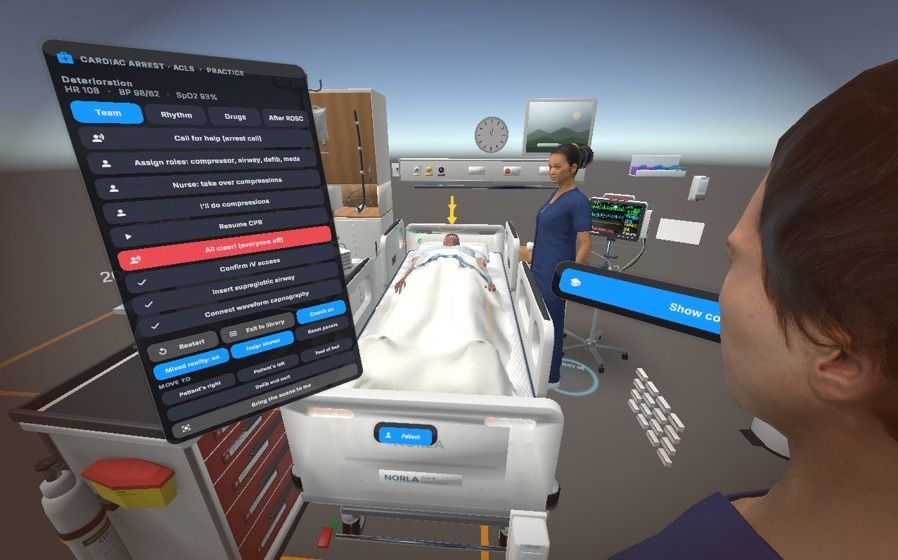
Training in the real sim lab or ward
Run a scenario in the room trainees will work in, so they rehearse where things really are: the door, the bed space, the emergency trolley.
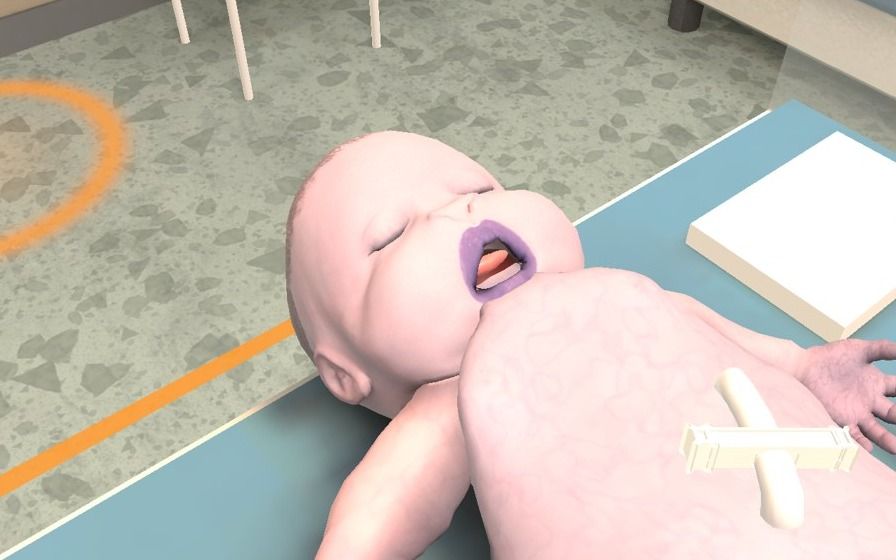
Virtual patient on a manikin
Keep the manikin for compressions and airway, and let the headset add what a manikin cannot show: a face that changes colour, breathing you can see, a live monitor.
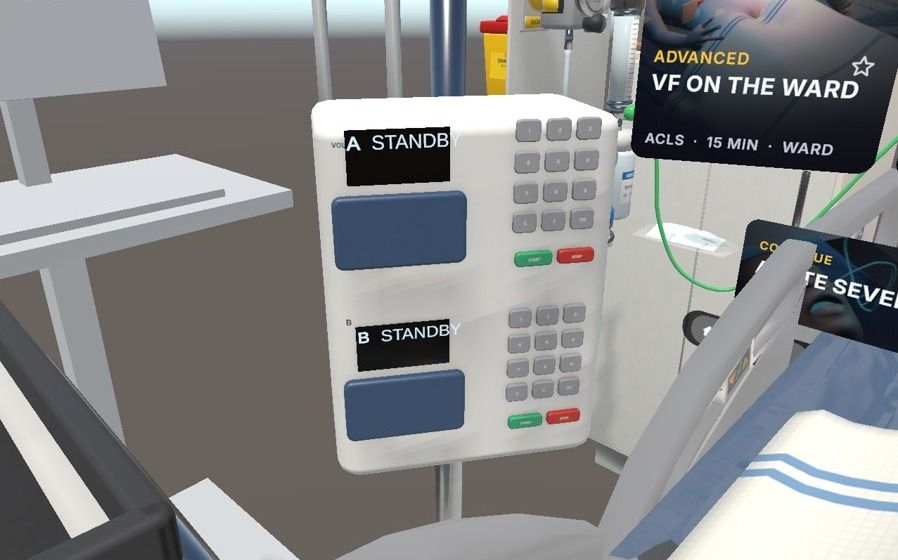
Equipment familiarisation in place
In passthrough, the scenario’s defibrillator, monitor and infusion pump appear at real size in your own room, so trainees learn the controls in a familiar space. Your own brands of equipment are custom work.


Running HoloLens 2 today? Read HoloLens 2 end of life: what training teams should do, and our headset guide.
Planning a web AR or mixed reality project? See AR and mixed reality development.
Want your own equipment brands in the scene? See custom scenarios and branding.
Phone and tablet AR, from a link
Open a link, pick an item, tap, and point the camera at the floor or wall. The item appears at real size in your own space, with its clearances shown. It runs in the phone’s browser, so there is no app to install.
We have built this technology already. There is no ready-made training module yet, so each of these is built to order.
- Custom build
Equipment familiarisation
An AED, defibrillator, fire extinguisher, gas detector or spill kit at real size, with its parts labelled. Walk round it before the course or before the shift.
- Custom build
Workplace planning
See where an AED cabinet or extinguisher should be mounted on your own wall, with the clearances around it, before anyone drills a hole.
- Custom build
Pre-course prep on students’ own phones
Send a link before the session so students arrive knowing the equipment. It pairs with our free student practice.
- Custom build
Field reference at the point of work
A link on site that shows the equipment and its parts where the work happens.
Phone AR or headset?
Phone AR is for looking, placing and preparing. The headset is for doing.
| Phone or tablet web AR | Headset MR and AR | |
|---|---|---|
| Hardware | The phone people already carry | Meta Quest 3 or HoloLens 2 |
| Hands | One hand holds the phone | Both hands free |
| Content | Single items at real size, with labels and clearances | Full scenarios with a patient who reacts, scoring and debrief |
| Best for | Familiarisation, planning, pre-course prep, quick reference | Practising the whole emergency, alone or as a team |
| Status | Custom build, on request | Available |
AR in healthcare
In healthcare education, AR is most useful where a sim lab already exists. It adds what a manikin cannot show, such as skin colour, breathing effort or a changing monitor, without taking away the physical practice.
It also helps on the ward itself: teams can rehearse a deterioration or arrest in the bay they work in, then debrief on what got in the way.
For the wider picture, see VR in healthcare, hospitals and nursing education.
AR training questions
What is AR training?
Augmented reality training adds digital content to the real world instead of replacing it. The trainee still sees the room, colleagues and equipment, with the simulation placed among them.
Do you offer AR on phones or tablets?
Yes, as a custom build. Web AR runs in the phone’s browser from a link, with no app to install, and places real-size equipment in your space with labels and clearances. Full scenarios with a patient who reacts still need a headset.
What is the difference between AR and mixed reality?
The terms overlap. We use AR for content seen through a clear visor, as on HoloLens 2, and mixed reality for content placed in a camera view of the real room, as in Meta Quest 3 passthrough. Both put the scenario in your real space.
How is AR used in healthcare training?
To rehearse in the real ward or sim lab, to add realism to manikins, and to learn equipment in place. Our hybrid manikin overlay is coming. Room-based scenarios work today.
Should we buy HoloLens 2?
No. Microsoft has ended HoloLens 2 production, and security updates and support run to the end of 2027 (see our HoloLens 2 end of life page). Firsthand began on HoloLens 2 and still supports organisations that own them, but for new deployments we recommend Meta Quest 3 or PICO 4 Ultra Enterprise, which also run passthrough mixed reality.
More on the technology
- XR training explained
VR, AR and mixed reality in plain words, and which to use for what.
- VR training
Room-scale, interactive simulation on standalone headsets.
- Mixed reality training
Passthrough on Meta Quest 3: the scenario in your own room.
- VR in healthcare
Clinical VR simulation for nursing, hospitals and aged care.
See it in your own room
Book a demo and we will show a scenario in passthrough on Meta Quest 3, so you can judge it in a real space.
